Chrome //
Extensions
Chrome //
Extensions  Chrome
Web store
Chrome
Web store Salesforce Simplified Chrome Extension


-
Chrome Extension Page
-
Total Number of Extension users:2K +
-
Reviewed by :47 Chrome Users
-
Author Name:
-
['rajkant020@gmail.com', 'Bengaluru Karnataka 560043 India', 'True', 'Rajni Kant Roy']
 Salesforce simplified chrome extension is build for Salesforce and Omnistudio Developer/Administrators to ease their daily life by sharing useful data points easily accessible on top of the UI.

When you are working on any module, you need your recently created or modified data handy so that you can work faster and save time to avoid unnecessary clicks.
By using the advanced search of Salesforce simplified you can get your code few clicks shorter.

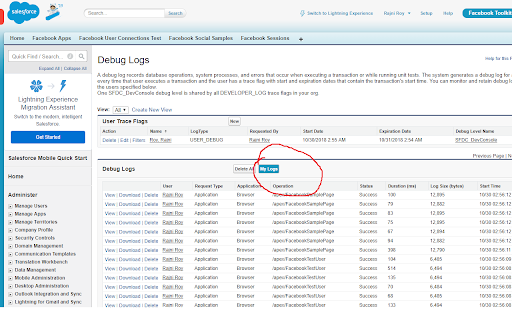
Debug logs
Classes
Pages
Components
Triggers
Objects
Fields
Labels
Workflows
Flows
Email Templates
Static Resource

Omnistudio Omniscript
Omnistudio Dataraptor
Omnistudio Cards
Omnistudio Templates
Omnistudio Action
Omnistudio Products
Omnistudio Communications
Omnistudio Health and Insurance

Opportunity
Quote
Order
Account
Contact
Case
Order
Leads
Campaign


How to install Salesforce Simplified chrome extension in chrome Browser
You can Follow the below Step By Step procedure to install the Salesforce Simplified Chrome Extension to your Chrome Web browser.
- Step 1: Go to the Chrome webstore https://chrome.google.com/webstore or download the extension Salesforce Simplified Chrome Extension Download from https://pluginsaddonsextensions.com
- Step 2: Now search for the Salesforce Simplified in Chrome Webstore Search and click on the search button.
- Step 3: click on the Salesforce Simplified Chrome Extension Link
- Step 4: in the next page click on the Add to Chrome button to Download and Install the Salesforce Simplified extension for your Chrome Web browser .
Salesforce Simplified Chrome extension Download
Looking for a method to Salesforce Simplified Download for Chrome then this download link is for you.It is the Salesforce Simplified Chrome extension download link you can download and install Chrome Browser.
Download Salesforce Simplified chrome extension (CRX)
-
Extract SOQL queries with their execution counts from Debug Logs of Salesforce. Helps you analyze the 'Too Many SOQLs' error.
-
Powerful Salesforce developer tools, loved by over 50K developers worldwide.
-
Build Salesforce LWC development easy and fastest.
-
Build complex Salesforce SOQL rapidly, monitor debug logs, and launch without sharing your passwords from any Salesforce tab.
-
Enhanced it for custom settings's field search and tooltip in the searched results by Shubham Bhatt. All thanks to Sameer N Miraj.
-
Boost your admin and developer productivity on Salesforce.com with Boostr! Current features include: - Ability to search when…
-
Toolkit provides Package.xml out of change sets. Test coverage export functionality. Fast navigation to User detail. Big Query.
-
Compare Record data values and object metadata in Salesforce
-
By using the advanced quick find you can get your code few clicks shorter. Also, you can search any string your code
-
ORGanizer - The best Salesforce Extension ever