Chrome //
Extensions
Chrome //
Extensions  Chrome
Web store
Chrome
Web store Search Quick Chrome Extension


-
Chrome Extension Page
-
Total Number of Extension users:239 +
-
Reviewed by :9 Chrome Users
-
Author Name:
-
['True', 'Vignesh']
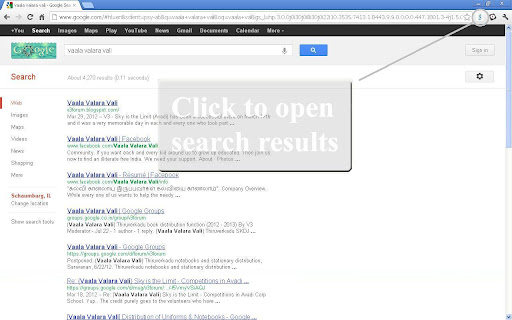
 Google SearchQuick is a browser add-on that opens the predetermined number of search results that are returned on a Google search in separate tabs at the click of a single button.  This extension works on all Google domains.

The number of results that need to be opened can be defined in the Options. By default three results are opened. This can be set to a maximum of 8.


Points to remember:
1)Please wait for the Google results page to be completely loaded before clicking on the extension icon.
2)Doesn’t work on secured Google connections (https:\)


Please reach me on beyondextensions@gmail.com with your feedback.


How to install Search Quick chrome extension in chrome Browser
You can Follow the below Step By Step procedure to install the Search Quick Chrome Extension to your Chrome Web browser.
- Step 1: Go to the Chrome webstore https://chrome.google.com/webstore or download the extension Search Quick Chrome Extension Download from https://pluginsaddonsextensions.com
- Step 2: Now search for the Search Quick in Chrome Webstore Search and click on the search button.
- Step 3: click on the Search Quick Chrome Extension Link
- Step 4: in the next page click on the Add to Chrome button to Download and Install the Search Quick extension for your Chrome Web browser .
Search Quick Chrome extension Download
Looking for a method to Search Quick Download for Chrome then this download link is for you.It is the Search Quick Chrome extension download link you can download and install Chrome Browser.
Download Search Quick chrome extension (CRX)
-
Allows the user search YouTube for a term by highlighting text and selecting 'Search YouTube for...' from the right click menu.
-
Easily search Google in a new tab or window. Easily change the search type (like for images), optionally store searches for re-use.
-
A faster way to search the web
-
Search anything on the internet easily by typing into ONE unified search box
-
A simple Tab Manager. List , Copy, Reload, and Closes Opened tabs in a Google Chrome Window in a single click
-
Select the search engine and find everything you need. Easy to use, there is a quick search.
-
Instant google serarch from the current page. Highlight the text and click the search icon. Search results will be shown in a popup.
-
Add additional search engines to the selection context menu
-
Search on your favorite sites via Google
-
Manage - and group - your installed extensions