Chrome //
Extensions
Chrome //
Extensions  Chrome
Web store
Chrome
Web store Settings Button Chrome Extension

-
Chrome Extension Page
-
Total Number of Extension users:7K +
-
Reviewed by :23 Chrome Users
-
Author Name:
-
['True', 'Dan Barnett']
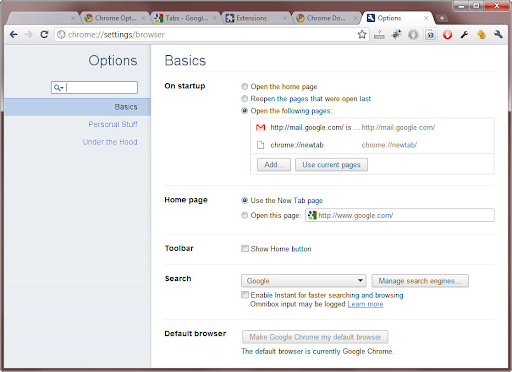
 This is a simple lightweight extension that adds a shortcut button to your browser for quick access to your settings and options. It either opens a new tab, or switches to the downloads tab if you already have it open in another tab.

You could nearly accomplish the same thing if you made a bookmark, but this assures you wont open multiple tabs.
How to install Settings Button chrome extension in chrome Browser
You can Follow the below Step By Step procedure to install the Settings Button Chrome Extension to your Chrome Web browser.
- Step 1: Go to the Chrome webstore https://chrome.google.com/webstore or download the extension Settings Button Chrome Extension Download from https://pluginsaddonsextensions.com
- Step 2: Now search for the Settings Button in Chrome Webstore Search and click on the search button.
- Step 3: click on the Settings Button Chrome Extension Link
- Step 4: in the next page click on the Add to Chrome button to Download and Install the Settings Button extension for your Chrome Web browser .
Settings Button Chrome extension Download
Looking for a method to Settings Button Download for Chrome then this download link is for you.It is the Settings Button Chrome extension download link you can download and install Chrome Browser.
Download Settings Button chrome extension (CRX)
-
Awesome button to open the Chrome bookmarks in a new window or tab. If the bookmarks page is already open, that tab is selected.
-
Provides quick icon access to your browser history.
-
Let you quickly search through your bookmarks in a floating bookmarks bar. It can even show notifications with no.tify.
-
This extension provides shortcuts to locations in Google Chrome
-
This extension helps you better find and navigate through Chrome pages by offering a better, cleaner and smarter menu.
-
One click settings shortcuts for Google Chrome™
-
Provides quick icon access to your Chrome extensions.
-
Since Chrome do not provide an easy way to find everything, this toolbar button lets you find it faster.
-
Open the Settings with just one click.
-
Displays a list of all windows and tabs open in Google Chrome. Allows filtering, sorting, refreshing, bookmarking, and saving.