Chrome //
Extensions
Chrome //
Extensions  Chrome
Web store
Chrome
Web store Twitter用 センシティブ画像大好き君 Chrome Extension

-
Chrome Extension Page
-
Total Number of Extension users:30K +
-
Reviewed by :103 Chrome Users
-
Author Name:
-
['su@nkun.dev', 'noriokun4649']
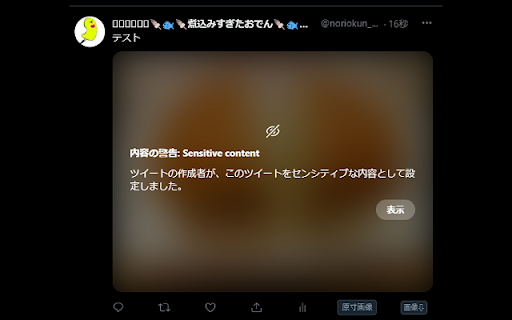
 Twitterで内容の警告ラベルが付けられている画像に対して、操作する事無く画像を表示できるようにします。

自分しか利用しないパソコンで利用する事で快適にTwitterを利用出来ます。

リリースノート
2023/12/29
 ・twitter.comにてツイートの「・・・」が非表示になる不具合を修正しました。
2023/12/26
 ・メディア欄の表示方法変更に対応しました。
2023/12/03
 ・旧TweetDeckのURL変更に対応しました。
  tweetdeck.twitter.com → pro.twitter.com
2023/02/13
 ・Beta版のTweetDeckに対応しました。
2022/08/15
 ・TweetDeckに対応しました。
2022/03/26
 ・初版リリース

How to install Twitter用 センシティブ画像大好き君 chrome extension in chrome Browser
You can Follow the below Step By Step procedure to install the Twitter用 センシティブ画像大好き君 Chrome Extension to your Chrome Web browser.
- Step 1: Go to the Chrome webstore https://chrome.google.com/webstore or download the extension Twitter用 センシティブ画像大好き君 Chrome Extension Download from https://pluginsaddonsextensions.com
- Step 2: Now search for the Twitter用 センシティブ画像大好き君 in Chrome Webstore Search and click on the search button.
- Step 3: click on the Twitter用 センシティブ画像大好き君 Chrome Extension Link
- Step 4: in the next page click on the Add to Chrome button to Download and Install the Twitter用 センシティブ画像大好き君 extension for your Chrome Web browser .
Twitter用 センシティブ画像大好き君 Chrome extension Download
Looking for a method to Twitter用 センシティブ画像大好き君 Download for Chrome then this download link is for you.It is the Twitter用 センシティブ画像大好き君 Chrome extension download link you can download and install Chrome Browser.
Download Twitter用 センシティブ画像大好き君 chrome extension (CRX)
-
Download ugoira, illustrations, manga and novel on Pixiv, Pixiv Fanbox and Pixiv Comic.
-
Download illust, manga, ugoira(animation) and novel from Pixiv
-
disable twitter web 'key'board shortcut for tweet page.
-
This extension hides trending information from twitter timelines to make your mind calm.
-
For your better Twitter media experience.
-
add item in image's context menu
-
You can easily download videos from popular video sites. Just click the extension icon, then select the video you want to download.
-
Pixiv Fanbox 批量下载器。Pixiv Fanbox batch downloader.
-
twitterの画像ツイートにボタンを追加する拡張機能。追加されたボタンを押すとツイートの画像を原寸で新しいタブに表示する。連絡先: @hogextend
-
You can download the images, comics and novels easily from Pixiv!