
 Chrome //
Extensions
Chrome //
Extensions  Chrome
Web store
Chrome
Web store WME-JunctionAngle Chrome Extension

-
Chrome Extension Page
-
Total Number of Extension users:2K +
-
Reviewed by :50 Chrome Users
-
Author Name:
-
['True', 'Michael Wikberg']
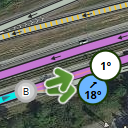
 Waze Map Editor (WME) addon to help with junction design. If two connected segments are selected, it shows the turn angle, otherwise the the angle between each segment. This is the same thing as the UserScript (https://greasyfork.org/en/scripts/7887-wme-junction-angle-info), but packaged to work with Chromium and Google Chrome. Problems and fixes should be reported on GitHub https://github.com/milkboy/WME-ja/issues

Recent changes:
1.13.1 - Update for new WME and URL
1.12.0 - Add option for hiding/displaying the JAI layer on page load
1.11.0 - Bootstrapping fixes. U-turn tweaks.
1.10.0 - Small changes in the Waze instruction logic, support for U-turns and lots of small fixes
How to install WME-JunctionAngle chrome extension in chrome Browser
You can Follow the below Step By Step procedure to install the WME-JunctionAngle Chrome Extension to your Chrome Web browser.
- Step 1: Go to the Chrome webstore https://chrome.google.com/webstore or download the extension WME-JunctionAngle Chrome Extension Download from https://pluginsaddonsextensions.com
- Step 2: Now search for the WME-JunctionAngle in Chrome Webstore Search and click on the search button.
- Step 3: click on the WME-JunctionAngle Chrome Extension Link
- Step 4: in the next page click on the Add to Chrome button to Download and Install the WME-JunctionAngle extension for your Chrome Web browser .
WME-JunctionAngle Chrome extension Download
Looking for a method to WME-JunctionAngle Download for Chrome then this download link is for you.It is the WME-JunctionAngle Chrome extension download link you can download and install Chrome Browser.
Download WME-JunctionAngle chrome extension (CRX)
-
Validates a map area in Waze Map Editor, highlights issues and generates a very detailed report with wiki references and solutions
-
Switch between different map services. Convert coordinates and directions and jump to the same location on another map.
-
Change satellite images in mapping websites.
-
Provides access to certain OS OpenData products within the WME environment
-
Adds many features to the Waze editor
-
Waze Map Editor script that creates a link to the current position in Google Maps™.
-
Overlays UR and problem markers onto Livemap


