Chrome //
Extensions
Chrome //
Extensions  Chrome
Web store
Chrome
Web store xPath Finder Chrome Extension


-
Chrome Extension Page
-
Total Number of Extension users:70K +
-
Reviewed by :34 Chrome Users
-
Author Name:
-
['mm@mm85.org', 'True', 'Tomasz Rembacz']
 Plugin to get the elements xPath.

Usage:
1. Click on the plugin icon, cursor will be changed to the crosshair
2. Hover over the desired element (elements are highlighted on hover)
3. Click on the element and his xPath will display in the panel at the bottom of the page

Options:
- turn on/off inspector,
- turn on/off auto copy to clipboard,
- choose between short IDs or normal path,
- change xpath box position


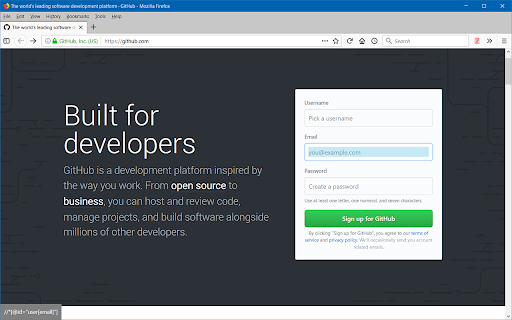
How to install xPath Finder chrome extension in chrome Browser
You can Follow the below Step By Step procedure to install the xPath Finder Chrome Extension to your Chrome Web browser.
- Step 1: Go to the Chrome webstore https://chrome.google.com/webstore or download the extension xPath Finder Chrome Extension Download from https://pluginsaddonsextensions.com
- Step 2: Now search for the xPath Finder in Chrome Webstore Search and click on the search button.
- Step 3: click on the xPath Finder Chrome Extension Link
- Step 4: in the next page click on the Add to Chrome button to Download and Install the xPath Finder extension for your Chrome Web browser .
xPath Finder Chrome extension Download
Looking for a method to xPath Finder Download for Chrome then this download link is for you.It is the xPath Finder Chrome extension download link you can download and install Chrome Browser.
Download xPath Finder chrome extension (CRX)
-
Find Selenium Objects - id, name and custom attributes highlighted in different colors for easier test automation
-
A helper tool for to confirm CSS and XPath selector.
-
Chrome extension for XPath operations on current document, reliable and easy to use with fully featured XPath 2.0 support.
-
Extract, edit, and evaluate XPath queries with ease.
-
Ruto brings the best XPath to you. We are striving hard to improve better performance and more new features
-
Create XPath queries select similar elements and visualize the results.
-
Selenium IDE alternative to record and export Selenium scripts. With reports & screenshots. Fast & open-source.
-
TruePath generates the relative XPath, script and analyzes code on click
-
Selenium Record and Playback tool for ease of getting acquainted with Selenium WebDriver.
-
xPath plugin to auto generate, write and verify xpath & cssSelector.