Chrome //
Extensions
Chrome //
Extensions  Chrome
Web store
Chrome
Web store Zip & Unzip Files Chrome Extension


-
Chrome Extension Page
-
Total Number of Extension users:10K +
-
Reviewed by :29 Chrome Users
-
Author Name:
-
['lukevo2018@gmail.com', 'Free Useful Apps']
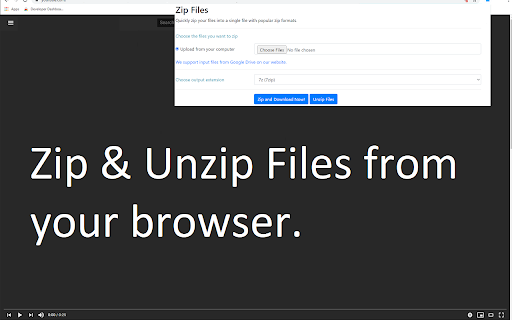
 Our FREE Zip app allows you to compress your files to the ZIP format. Extract ZIP files within minutes as well!

Extract zipped files with ease! It helps you to extract zip/rar/7z etc and other zipped format files & access the unzipped files easily.

You can choose a zipped file to unzip from your computer or from Google Drive. Our tool allows you to choose whether you want to save your unzipped files onto your desktop computer or onto Google Drive.

This software is 100% free and does not require you to pay.

Our Privacy Policy: https://zipfiletab.com/privacy-policy
Our Terms of Service: https://zipfiletab.com/terms


How to install Zip & Unzip Files chrome extension in chrome Browser
You can Follow the below Step By Step procedure to install the Zip & Unzip Files Chrome Extension to your Chrome Web browser.
- Step 1: Go to the Chrome webstore https://chrome.google.com/webstore or download the extension Zip & Unzip Files Chrome Extension Download from https://pluginsaddonsextensions.com
- Step 2: Now search for the Zip & Unzip Files in Chrome Webstore Search and click on the search button.
- Step 3: click on the Zip & Unzip Files Chrome Extension Link
- Step 4: in the next page click on the Add to Chrome button to Download and Install the Zip & Unzip Files extension for your Chrome Web browser .
Zip & Unzip Files Chrome extension Download
Looking for a method to Zip & Unzip Files Download for Chrome then this download link is for you.It is the Zip & Unzip Files Chrome extension download link you can download and install Chrome Browser.
Download Zip & Unzip Files chrome extension (CRX)
-
Compress and extract files using ZipRar Archiver.
-
Extract multi-format archive files with ease! It helps you to extract from archive files (7z,zip,tar..) and view the files easily.
-
Open a local and remote ZIP, RAR, 7Z, or any other archive format to extract all files or selected ones without any dependencies
-
Search for thousands of images, icons & photos or create them with ChatGPT
-
View & extract any zip file via an easy-to-use UI right in your browser!
-
Never lose your Chrome bookmarks again!
-
Edit any of your Google Drive™ files with your local applications.
-
Open current page, link, or all tabs in the Firefox browser with a left-click or through right-click context menu.
-
Easily open desired links in Winzip
-
A powerful media player built on top of the video.js project with HTTP Live Streaming (HSL), speed control, and playlist support