Chrome //
Extensions
Chrome //
Extensions  Chrome
Web store
Chrome
Web store Finch Developer Tools Chrome Extension


-
Chrome Extension Page
-
Total Number of Extension users:2K +
-
Reviewed by :11 Chrome Users
-
Author Name:
-
['True', 'finchalyzer']
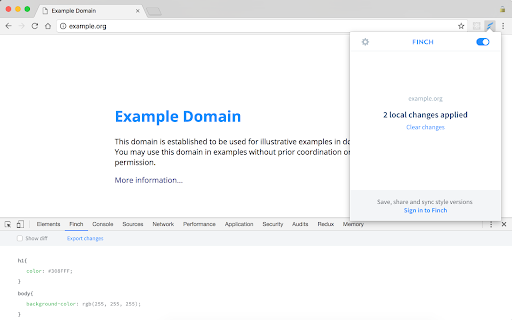
 All changes you make in the css code at DevTools Styles will be saved locally on your computer.
If you refresh the page or close the browser - the changes will be applied to your website.
You can view, edit and remove the changes in a separate DevTools tab.

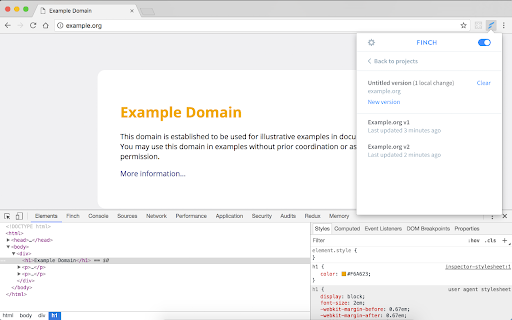
Connecting the plugin with your Finch.io account allows you to create multiple versions on each site, synchronise or share them.
How to install Finch Developer Tools chrome extension in chrome Browser
You can Follow the below Step By Step procedure to install the Finch Developer Tools Chrome Extension to your Chrome Web browser.
- Step 1: Go to the Chrome webstore https://chrome.google.com/webstore or download the extension Finch Developer Tools Chrome Extension Download from https://pluginsaddonsextensions.com
- Step 2: Now search for the Finch Developer Tools in Chrome Webstore Search and click on the search button.
- Step 3: click on the Finch Developer Tools Chrome Extension Link
- Step 4: in the next page click on the Add to Chrome button to Download and Install the Finch Developer Tools extension for your Chrome Web browser .
Finch Developer Tools Chrome extension Download
Looking for a method to Finch Developer Tools Download for Chrome then this download link is for you.It is the Finch Developer Tools Chrome extension download link you can download and install Chrome Browser.
Download Finch Developer Tools chrome extension (CRX)
-
This is a theme inspired by Material Theme for sublime text, that brings the Material Design visual language to your Chrome…
-
Toggle classes and attributes
-
Quick access to Chrome developer pages in the context menu.
-
Sitemod lets anybody modify a website without having access to the source code and get a shareable link to the modified website.
-
A selection of author settings for Chrome Developer Tools.
-
Fast and easy way to test your responsive design in multiple viewports
-
Live CSS JS/ Realtime CSS JS style will be added to the page for temprory. To test the style change. How it reflect on page reload.
-
Live preview of CSS/Less/Sass code changes. Auto-save file, autocomplete, Less/Sass to CSS, beautify, CSS reloader, lint, ...
-
Dev Helper
-
Adds a multiline JavaScript console to the Chrome developer tools.