Chrome //
Extensions
Chrome //
Extensions  Chrome
Web store
Chrome
Web store Gist Markdown Preview Chrome Extension


-
Chrome Extension Page
-
Total Number of Extension users:443 +
-
Reviewed by :6 Chrome Users
-
Author Name:
-
['True', 'Revath S Kumar']
 The option is visible only when you choose the filetype as markdown or your filename ends with .md

* updated for latest changes in gist.github.com design

CHANGES on 2017/04/12

* updates to latest github changes
* Removed the css from loading and breaking http://gist.github.com
* Fixes the issue with appearing multiple preview buttons on multiple markdown files

CHANGES on 2018/01/03

* updates to latest github changes

CHANGES on 2018/01/20

* Support for Github flavoured markdown
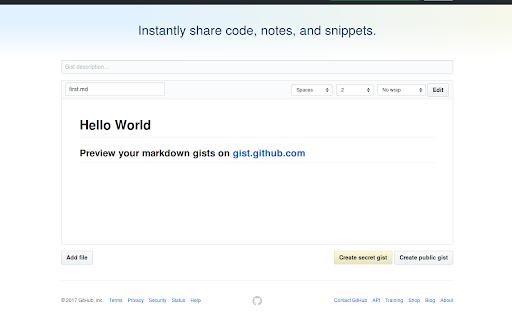
How to install Gist Markdown Preview chrome extension in chrome Browser
You can Follow the below Step By Step procedure to install the Gist Markdown Preview Chrome Extension to your Chrome Web browser.
- Step 1: Go to the Chrome webstore https://chrome.google.com/webstore or download the extension Gist Markdown Preview Chrome Extension Download from https://pluginsaddonsextensions.com
- Step 2: Now search for the Gist Markdown Preview in Chrome Webstore Search and click on the search button.
- Step 3: click on the Gist Markdown Preview Chrome Extension Link
- Step 4: in the next page click on the Add to Chrome button to Download and Install the Gist Markdown Preview extension for your Chrome Web browser .
Gist Markdown Preview Chrome extension Download
Looking for a method to Gist Markdown Preview Download for Chrome then this download link is for you.It is the Gist Markdown Preview Chrome extension download link you can download and install Chrome Browser.
Download Gist Markdown Preview chrome extension (CRX)
-
Makdown File Reader is a tool that supports multiple themes and auto detecting and transferring markdown to html.
-
A standalone Markdown editor
-
A Github Flavored Markdown Editor
-
Lets you easily embed files from a github repository into any webpage just like a gist.
-
Simplifies the GitHub interface and adds useful features
-
Adds a table of contents to repositories, gists and wikis on GitHub
-
Preview markdown text.
-
Adds a navigation menu to any readme or Markdown file on GitHub.