Chrome //
Extensions
Chrome //
Extensions  Chrome
Web store
Chrome
Web store Just Icons Chrome Extension


-
Chrome Extension Page
-
Total Number of Extension users:453 +
-
Reviewed by :9 Chrome Users
-
Author Name:
-
['p.tomaszek.cs@gmail.com', 'True', 'ptomaszek']
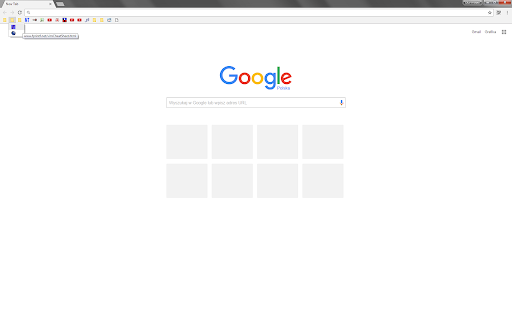
 Click to hide titles of your bookmarks.
Click again to restore them.
Tune hiding behavior in Options.

PRO TIP: for the safety of your bookmarks please backup them before the very first use of the extension - howto: https://support.google.com/chrome/answer/96816?hl=en
Why? Actually the extension removes (not simply hides!) titles from the bookmarks and stores them in Extensions memory for future restoration. It means that if you use Chrome Sync, bookmarks on your other devices will be affected. If your Chrome crashes for some reason, its possible that youll be left without a way to restore bookmark titles. Youve been warned ;).

PRO TIP 2: before uninstalling the extension (but why would you?!), use it to show the bookmark titles back. Otherwise the titles will be lost.**

Feel free to ask questions.

Enjoy your new aesthetic bookmarks bar!


https://github.com/ptomaszek/just-icons

How to install Just Icons chrome extension in chrome Browser
You can Follow the below Step By Step procedure to install the Just Icons Chrome Extension to your Chrome Web browser.
- Step 1: Go to the Chrome webstore https://chrome.google.com/webstore or download the extension Just Icons Chrome Extension Download from https://pluginsaddonsextensions.com
- Step 2: Now search for the Just Icons in Chrome Webstore Search and click on the search button.
- Step 3: click on the Just Icons Chrome Extension Link
- Step 4: in the next page click on the Add to Chrome button to Download and Install the Just Icons extension for your Chrome Web browser .
Just Icons Chrome extension Download
Looking for a method to Just Icons Download for Chrome then this download link is for you.It is the Just Icons Chrome extension download link you can download and install Chrome Browser.
Download Just Icons chrome extension (CRX)
-
Adds a bookmarks icon to the toolbar
-
Integrated bookmarks, tabs, and history manager. Change to your favorite colors to change your mood at work!
-
A Speed Dial in your toolbar, with easy set-up and 'key'board shortcuts
-
Quick and compact access to your bookmarks.
-
Allows switching between multiple sets of bookmarks on the bookmarks bar
-
Change bookmark favicon
-
Lets you change favicons for your bookmarks, single webpages and entire websites.
-
Tidy Bookmarks
-
-
Let you quickly search through your bookmarks in a floating bookmarks bar. It can even show notifications with no.tify.